FenxOne · Powered by ARCHIMEDES
All in one AI business suite
FenxOne runs your sales, invoicing, books, stock, online shop, till and team in one system. Ask its AI for a quote, a bill or a purchase order in your own words. It prepares the work, and nothing is saved until you confirm.
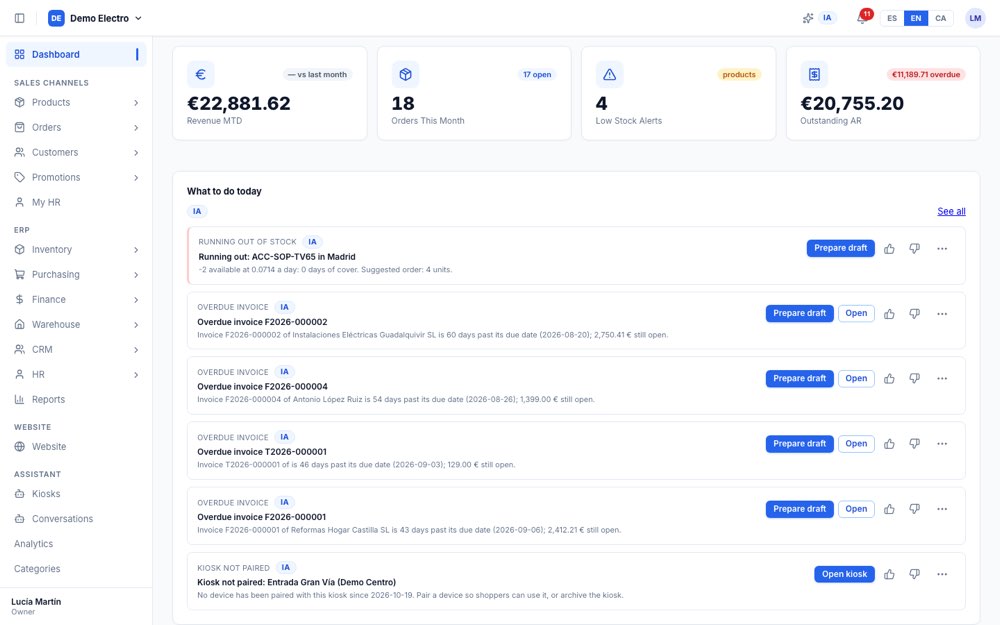
Your sales, stock and money in one view.
One system instead of six tools
If the business runs on an invoicing app, a stock spreadsheet, a shop builder, a till, a CRM and a timesheet tool, someone is copying figures between them. FenxOne does those six jobs in one place, on one set of customers, products and books.
- InvoicingQuotes, invoices, payments and the books behind them
- StockLevels per warehouse, purchase orders, counts and a phone app
- Online shopYour website and shop, on your own domain
- TillA point of sale that keeps selling offline
- CRMCustomers, deals, contracts and renewal dates
- PeopleClocking, leave, shifts and the payroll export
One system
Record it once, and it shows up everywhere
Sell something at the till or in your online shop and the stock falls, the entry posts to the books, and a sale with a customer on it shows on their record. Nobody types it twice, so the stock, the reports and the books agree with each other.
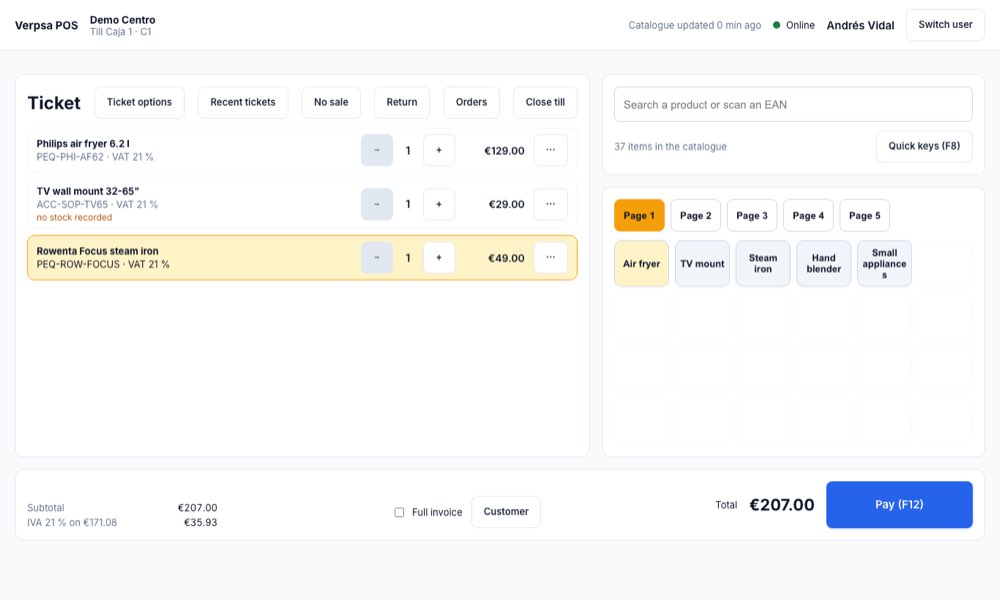
One sale, recorded once — stock, books and reports agree.
Start from the way you sell
- Till · Online shop · Stock
Shops
You sell over a counter and online. One stock figure for both, a till that works offline, and returns from either.
- Quotes · Orders · Delivery
Trade and wholesale
You quote, deliver and invoice other businesses. Prices per customer, credit limits, delivery notes and purchasing.
- Projects · Hours · Retainers
Service businesses
You sell your time. Hours sold, used and still to bill on every deal, and retainers that prepare their invoice each month.
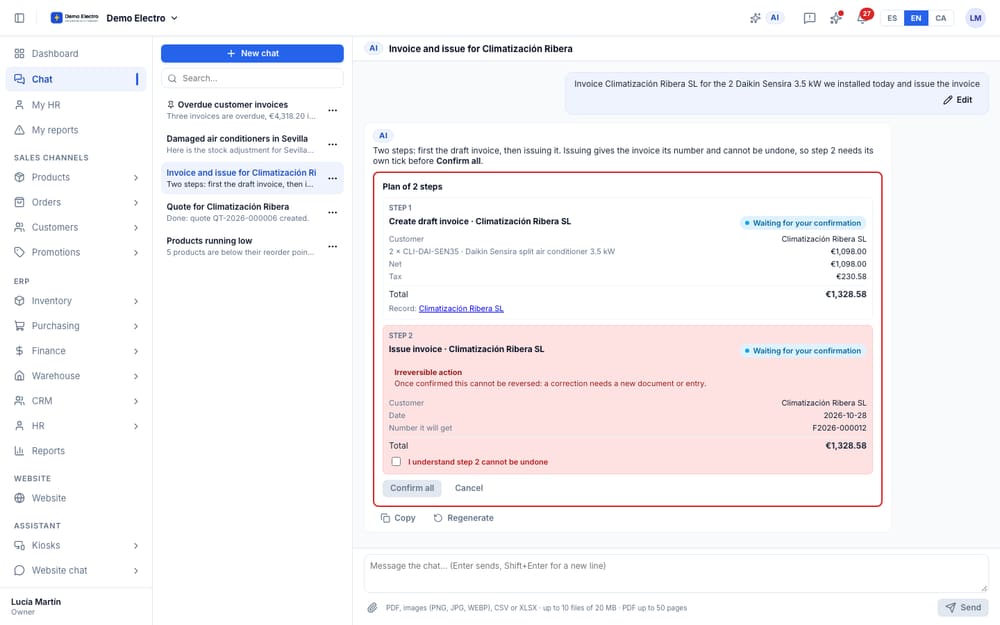
Issuing an invoice is final, so it asks once more.
AI chat
“Invoice the two units we fitted today”
Type it the way you would say it. The chat finds the customer and the products, FenxOne prices each line from that customer’s price list and works out the tax, and you get a card to check. Issuing an invoice is final, so that step asks you to tick that you understand before it runs.
Every morning
It finds the problems overnight
Each night FenxOne checks your data for stock about to run out, invoices past their due date, carts left in your shop and things shoppers asked for that you do not sell. In the morning they are on your dashboard, ranked, each with a button that prepares a draft for you to check or opens the record.
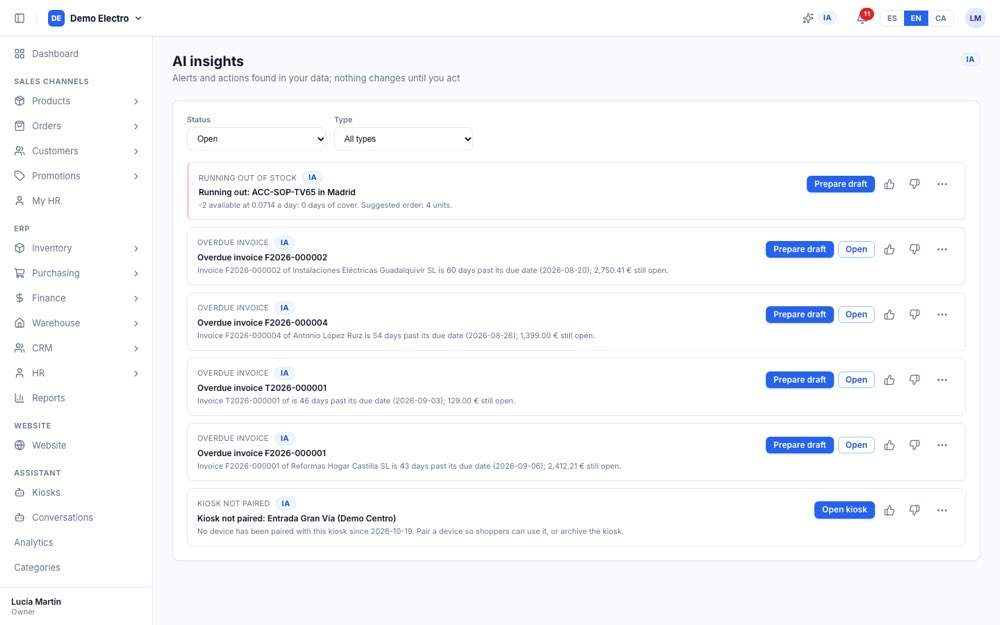
The overnight checks, ranked for your morning.
The books
Books kept as you go, so the quarter end is a check
Every invoice, bill, payment and till close posts to the books as it happens. The quarter’s VAT figures come from what you issued and posted, and your accountant gets one export with everything in it, or a read-only login of their own.
- BankStatement lines matched to invoices, with the reasons shown
- VATPrepared from your invoices and bills, ready for you to file
- ChecksDuplicate or unusual supplier bills flagged before you pay
- LockedA closed month stays closed. Reopening it needs a reason
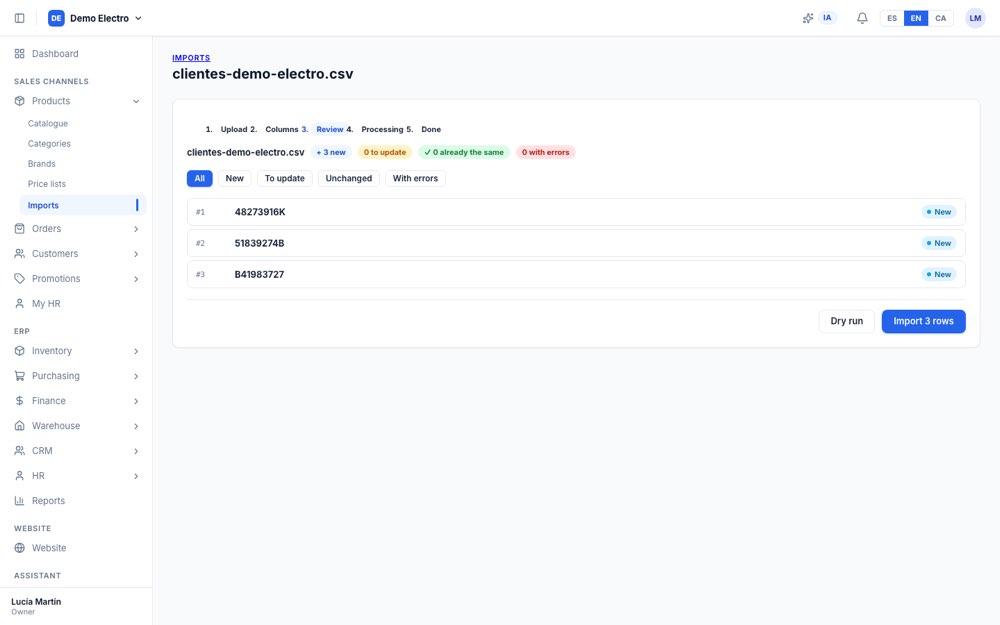
Review which rows will be imported before you commit.
Switching
Bring your customers, products and balances with you
Export the files from your current system. FenxOne matches the columns, checks every row and shows you what would come in before anything is saved. Your accountant can review a check report before the opening balances lock.
As you grow
Built for a small team, ready for a bigger one
Add a second company, another shop or warehouse, and new people with roles that fit their job, all in the same workspace. The controls a bigger business asks for are already there.
- StructureSeveral companies, stores and warehouses in one workspace
- RolesBuilt-in roles per job, or your own, limited to one store if you like
- ApprovalsLarge purchase orders and manual journal entries need a second person
Countries
Set up for the country you trade in
Each workspace takes its tax rates, currency, number formats and holiday calendar from its tax country, and invoices use that country’s wording and tax ID format. Tax rules today: Spain, the United Kingdom, the Netherlands and South Africa, plus a general EU profile. The app is in English, Spanish and Catalan.
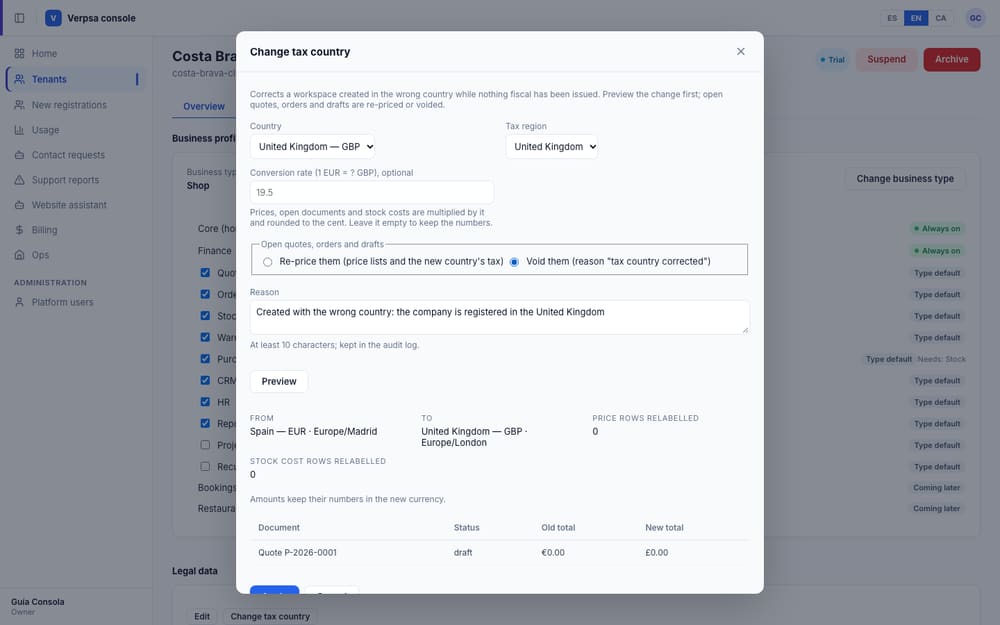
Tax, currency and formats follow from the tax country.
A few practical questions
Can AI Chat change my records on its own?
You review and confirm changes made through AI Chat. Issuing invoices, posting entries and recording payments require an extra confirmation. Separately, you can set automations to carry out reversible actions within limits you choose.
Will FenxOne work in my country?
FenxOne supports multiple currencies, with dedicated tax rules for Spain, the UK, the Netherlands and South Africa today, plus a general EU tax profile so you can start now. Full support for every EU country is coming soon. The app is available in English, Spanish and Catalan.
Can I connect the AI tools I already use?
You can connect Claude and other compatible AI apps through MCP. Connected apps act with your FenxOne permissions. There’s also a REST API with scoped keys for your own integrations.
Can I export my data?
Yes. You can download your records as CSV and JSON, along with issued PDFs and uploaded files.
Get a note when FenxOne opens
Leave your email and we’ll let you know when FenxOne is available.